
How to Use SMART Talk N' Load
Intiating a Voice Call
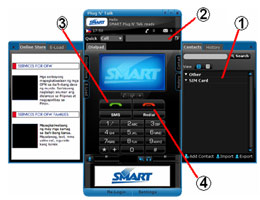
- Double click the name of the contact from the Contacts Tab.
- Or type the number of the contact using the computer keyboard
- Click the green call button to start a call.
- Click the red call button to end call.
Receiving a Voice Call
- Click the green call button to receive a call.
- Click the red call button to end call.
Initiating an SMS
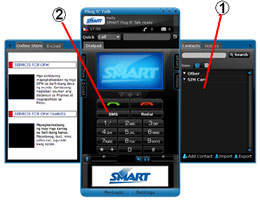
- Right click name of contact from the Contacts Tab and click “Send Text,”
- Or Press on the Text Message Button and type the number
- Type in your message in the Message Field
- Click the Send Button to send the text message.
Receiving an SMS
- A SMS window will pop-up whenever you receive a SMS.
- To reply, type your message in the Message Field.